

POM Multi-Company
Multi-company
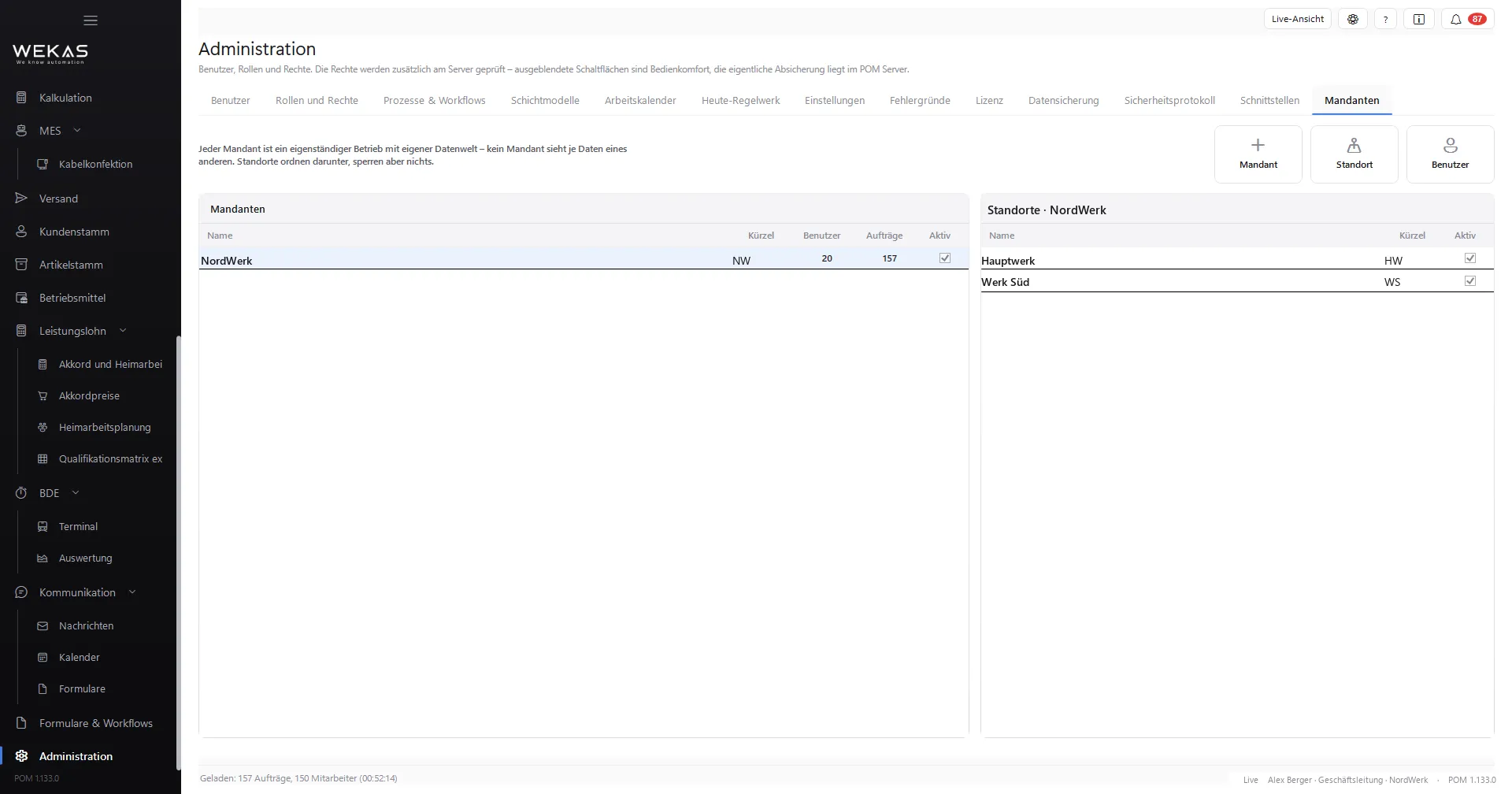
Several legally independent companies in one installation, cleanly separated – with company groups, quick switching and processes across company lines.
- 01
The problem
Two companies, two installations – double updates, double upkeep, and every change to the system happens twice.
- 02
How POM solves it
The company is the security boundary: no company sees another one’s data, checked on the server with every access. Company groups pass settings down, and switching needs no new sign-in. A purchase order in company A can become a customer order in company B.
- 03
The result
Every company stays on its own – and IT still looks after just one system.
Functions
What is inside.
-
Several legally independent companies in one installation, cleanly separated
-
Company groups with inherited settings; switching companies without a new sign-in
-
Invoice sender per document profile
-
Process across company lines: a purchase order in company A becomes a customer order in company B (first stage)
-
Consolidated evaluation with POM Analytics; intercompany balances per pair of companies with POM Accounting
-
The first company is included in the core; bookable independently of POM Multi-Site
- Roadmap
No date yet: shared services, central user administration across companies, transfer prices and modules per company
How it fits together
Every module feeds the next.
Passes on
- POM Analytics Consolidated reporting across several companies
Price
Concurrent users count, not accounts.
Module, booked individually 10 % saving with annual billing
Price on request.
For this module we prepare a quotation based on your needs. User accounts are unlimited.
Request a quoteQuick answers
Questions about POM Multi-Company
What does multi-company mean in POM?
Several legally independent companies work in one installation, each as a company of its own. No company sees another one’s data; the server checks this with every access. The separation always applies, even without the module, POM Multi-Company allows further companies.
Company or site, which do I need?
A company is a separate legal entity with its own invoices and separated data. A site is a plant of the same company. The first company and the first site are included in the core; you book POM Multi-Company and POM Multi-Site independently of each other.
Can companies trade with each other in POM?
In a first stage, yes: a purchase order in company A becomes a customer order in company B. With POM Accounting there are intercompany balances per pair of companies. Transfer prices and intercompany posting are not available yet.
See POM for your business.
First we show you POM in an online demo with a sample company. After that you can test it for 30 days with a trial licence of your own.